Free · For Mac and the web · Made by one person

Small tools that each do one job well.

Two Mac apps, four web apps and one Instagram bot. All free, each explained in one sentence.

Mycelium is for macOS 11 or later and asks for Full Disk Access so it can read Messages.

The apps

Pick one, read one sentence, try it.

Mac apps download as a small zip. The Trail and The Org System are demos filled with sample data. Peppermint and Magic Tree are the full apps, in your browser. InfathomReel works by Instagram message.

Mycelium on a Mac: a list of dates it found in messages, each with an Approve button, and tabs along the top

Mycelium

Deadlines hiding in your messages
macOS 11+Download · 12 MBFree

What it does: reads your texts and email on your Mac, spots things like “dinner Friday at 7” or “pay by Monday”, and lists them as dates. You approve each one before it goes on your calendar.

Asks for Full Disk Access so it can read Messages. It works on your Mac, with no server that can read your data.

Lichen on a Mac: a black strip at the screen edge with a usage ring, and a panel listing Claude Code sessions

Lichen

Claude, at the edge of your screen
macOS 14+Download · 1 MBFree

What it does: puts a small strip on the side of your screen. A ring shows how much of your Claude plan you’ve used, and a click lists every Claude Code session that’s running. Add-ons bring search, screenshots and a meeting recorder.

For people who use Claude. It reads your plan usage from the Claude desktop app on your Mac.

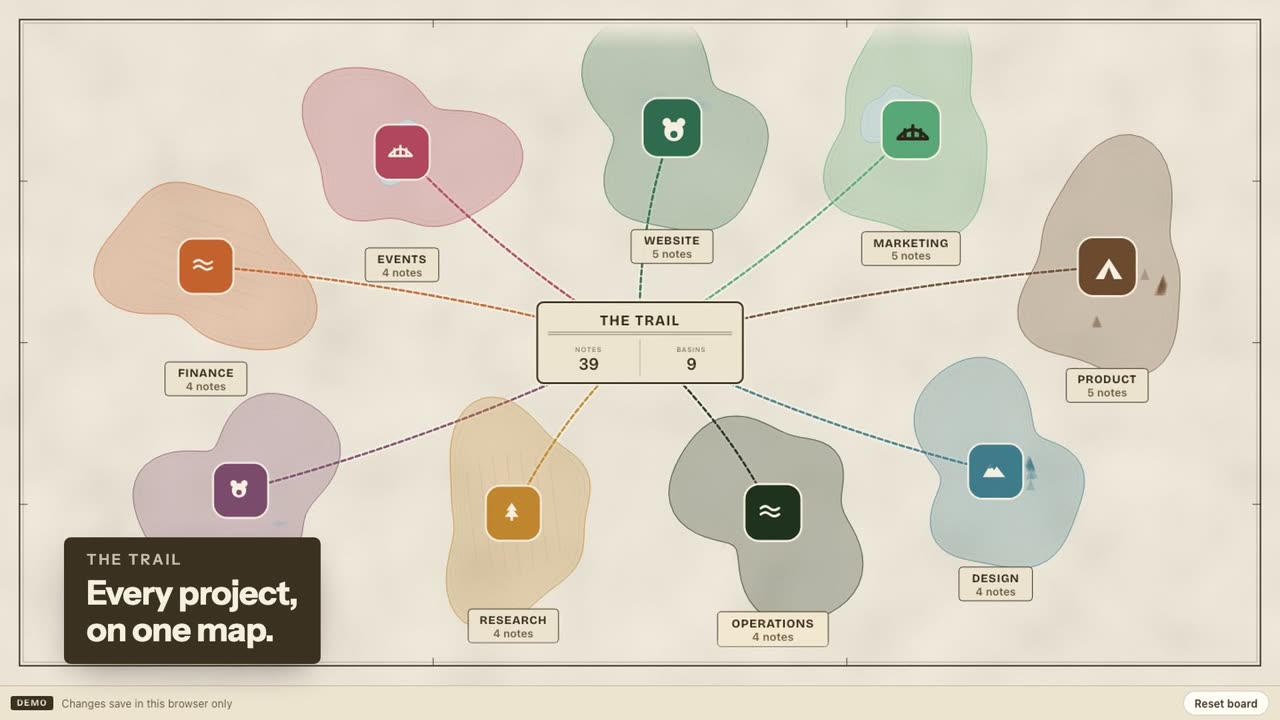
The Trail: a hand-drawn trail map with basins you open into boards

The Trail

A to-do board drawn as a trail map
Any browserDemo · sample dataFree

What it does: each project is a stop on a trail. Open one and drag its notes from Basecamp to Summit as the work gets done. It’s a to-do list that feels like a walk instead of a spreadsheet.

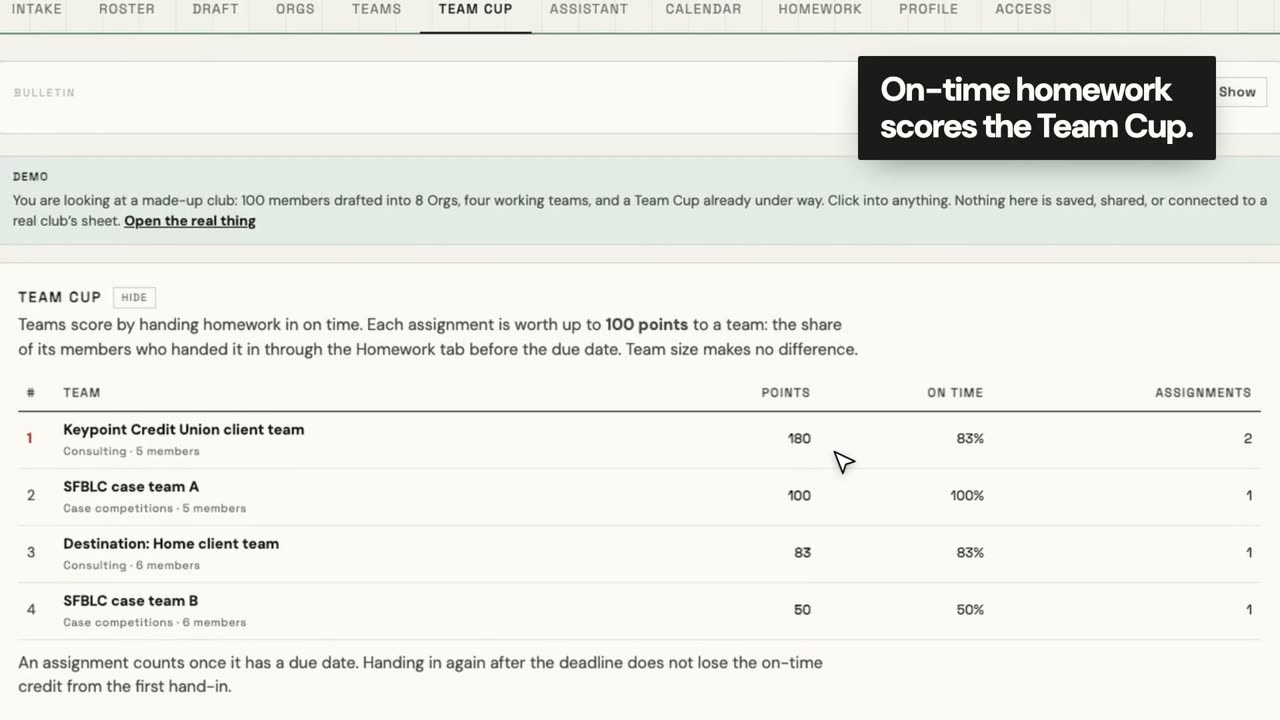
The Org System: members drafted into balanced teams with a Team Cup leaderboard

The Org System

Run a club’s mentorship teams
Any browserDemo · sample dataFree

What it does: splits a club’s members into balanced teams, gives them homework with real due dates, and keeps a Team Cup that only counts work handed in on time. The demo is a made-up club of 100.

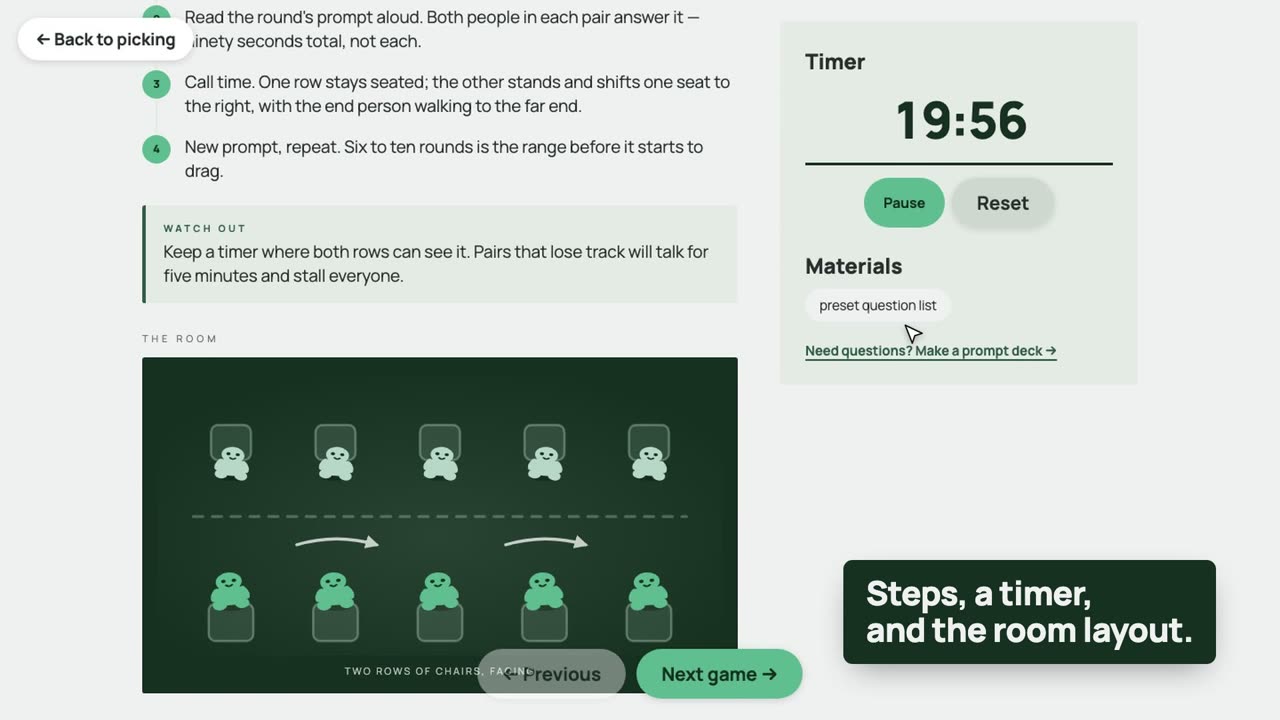
Peppermint: a cabinet of icebreaker cards and a meeting runsheet with a timer

Peppermint

Icebreakers that actually worked
Any browserNo accountFree

What it does: fifty icebreakers ranked by how they really went in meetings. Pick five and it gives you the steps, a timer and how to set up the room, so you can just run the meeting.

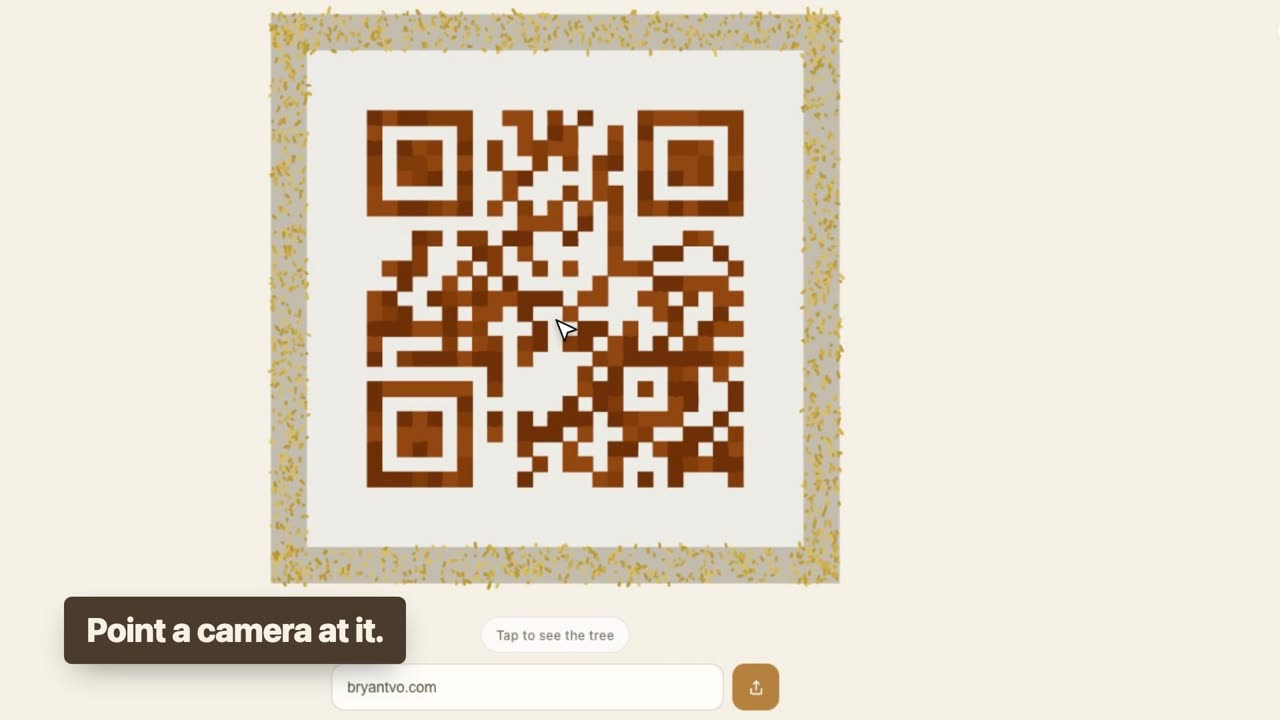
Magic Tree: an isometric 3D tree standing on a plot that is a QR code

Magic Tree

A QR code that grows a tree
Any browserNo accountFree

What it does: a 3D tree stands on a scannable QR code. Tap it and the leaves fly down into the code. Type your own link and it becomes a QR code for that link, so you can make one for yourself.

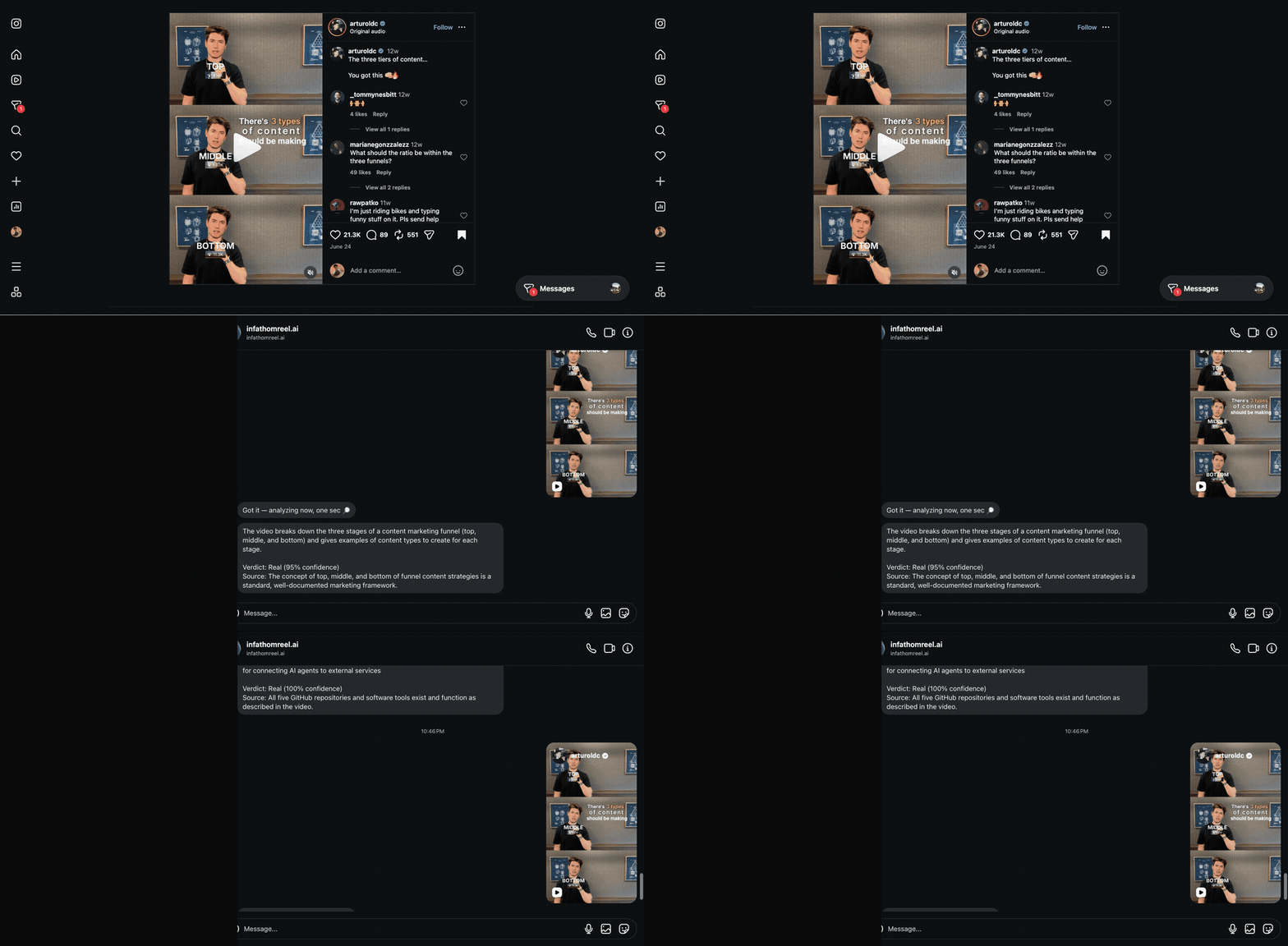
InfathomReel: a Reel is sent by DM and the bot replies with a real-or-fake verdict

InfathomReel

Is that tool in the Reel real?
Instagram DMNothing to installFree

What it does: send it a Reel that shows off an app or AI tool. It watches the video, checks the tool it names, and replies whether it’s real or fake, and where to find it.

Needs an Instagram account. The Reel you send goes to InfathomReel’s server so it can watch it and check the tool.

New · Mycelium 0.10.0

Add-ons: start small, turn on more when you want it

Mycelium and Lichen now ship with their extras switched off. You get the core app first. If you want more, flip an add-on on and it gets its own tab or button. Flip it off and it’s gone, but whatever it saved is kept for next time.

Mac apps

Installing takes a few steps and about a minute

Mycelium and Lichen aren’t from the App Store, so macOS asks you to confirm the first time you open one. It does that for every app from outside the store, and you only do it once. Mycelium needs one more permission; Lichen doesn’t.

Download and unzip

Press Download. Your Mac saves a .zip to Downloads; double-click it and the app appears next to it.

Drag it to Applications

Open a Finder window and drag the app into Applications, so it stays put and updates cleanly.

Press “Open Anyway”, once

macOS says it can’t check the app. Go to System Settings › Privacy & Security, scroll down and press Open Anyway. After that it opens normally.

Mycelium only

Turn on Full Disk Access

So Mycelium can read Messages: System Settings › Privacy & Security › Full Disk Access, then turn on Mycelium. Lichen doesn’t need this.

What you can count on

The ground rules

The short version of how these apps treat you and your data. The FAQ below goes app by app.

Free, no catch

No trial, no subscription, no “pro” version waiting behind a paywall.

Mac apps work on your Mac

Mycelium and Lichen read and store your data locally, with no server that can read it. The few optional parts that go online are listed below.

You press the button

Mycelium never adds to your calendar or submits anything until you approve it.

No sign-up

None of these apps has its own account to make. InfathomReel needs an Instagram account, since you use it by message.

Questions

Short answers

Why does my Mac warn me when I open Mycelium or Lichen?

Apple asks developers to pay for a certificate that skips this warning. These apps don’t have one yet, so macOS asks you to confirm once. Pressing Open Anyway in Privacy & Security is all it takes.

Is my data sent anywhere?

It depends on the app:

  • Mycelium reads and stores everything on your Mac, and no server can read your data. It talks to the accounts you connect (like Google Calendar) and checks for updates. If you turn on phone access, it leaves an encrypted copy on this site that only your phone can open.
  • Lichen reads your plan usage from the Claude desktop app on your Mac and sends nothing. Two add-ons do use the internet: Ask about your screen sends the screenshot to Claude, and the meeting recorder sends the transcript to Claude and writes notes into your Google Doc.
  • The Trail and The Org System are demos with made-up data.
  • Peppermint and Magic Tree need no account. Peppermint keeps your picks in your browser; if you open a room for phones to join, their votes pass through a live relay.
  • InfathomReel needs an Instagram account, and the Reel you send goes to its server so it can check it.
What’s an add-on?

An extra feature that comes inside the app but starts switched off. In Mycelium it’s a new tab, like Acorn for scholarships. In Lichen it’s a new button, like chat search. Turn on only the ones you’ll use.

Does Mycelium read my messages on a server?

No. It reads the Messages database already on your Mac, which is why it asks for Full Disk Access, and the results stay there. Mycelium’s privacy page lists everything that can leave your Mac, including phone access, which is off until you turn it on.

Do I need Claude to use Lichen?

Yes. Lichen shows usage for a Claude plan and the Claude Code sessions on your Mac, so it’s for people who use Claude. Lichen is an independent app and isn’t made by or affiliated with Anthropic.

Will the apps update themselves?

Mycelium checks for a new version and offers it to you. For Lichen, download it again from this page when a new version comes out.

Which Macs do they run on?

Macs with Apple silicon (M1 or newer). Mycelium needs macOS 11 Big Sur or later, and Lichen needs macOS 14 Sonoma or later. The web apps run in any modern browser, on a phone too.